Tennis video analysis
Your stroke, under the lens.
Find the strokes that matter in your practice video. Review your technique, compare with the pros and leave with a plan for your next session.
Private beta · Access by invitation from your coach
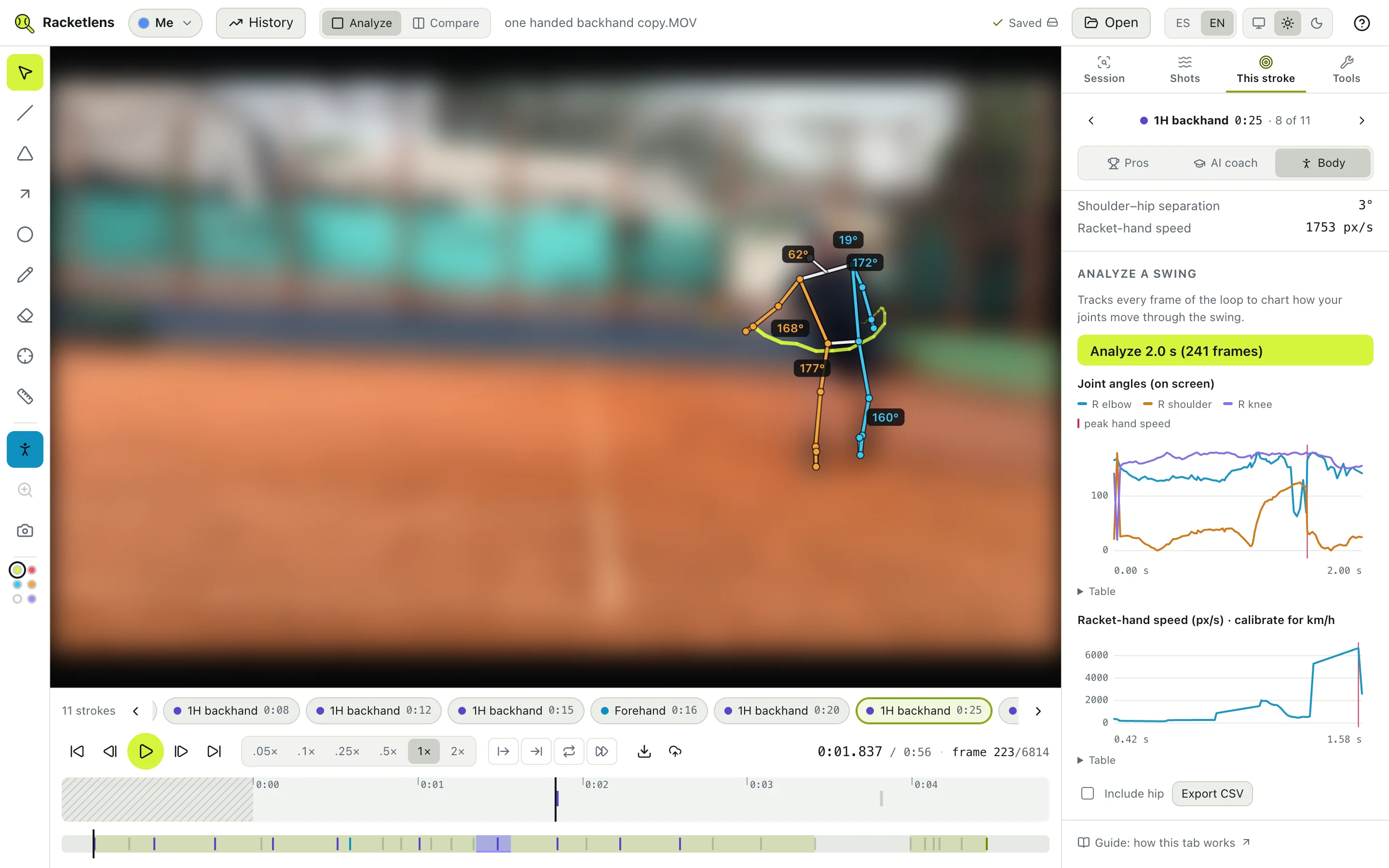
Everything a coach looks at, on your own footage
Built for amateur players who film themselves with a phone on the fence.
Frame by frame
From 0.05× to 2×, frame-exact stepping and A–B loops. The app listens for racket hits and groups them into rallies, so a two-hour session takes a minute to scan.
Body tracking
A 33-point skeleton with live elbow, shoulder, hip and knee angles, trunk lean, shoulder–hip separation and the path of your racket hand.
Ball speed
Click the ball or let it auto-track: speed and direction before and after contact, and where you met it relative to your body.
Compare with the pros
Forehands, one- and two-handed backhands and serves from a pro library, synced phase by phase, with a ghost of the pro drawn over you. See whose stroke yours resembles.
AI coach
Pick one stroke and Claude reviews it: what works, the one to three changes that matter most, a feel cue and a drill for each, with the frames as evidence.
Progress
Analyze every forehand, backhand or serve of a session for a consistency score, then follow each number from one session to the next.
How it works
- 1
Open your video
MP4 or MOV straight from your phone, any length. Multi-gigabyte files open instantly.
- 2
Find your strokes
Racketlens hears every hit, then tells your forehands, backhands and serves apart from your opponent’s shots.
- 3
Analyze and compare
Angles, ball speed, a pro side by side, an AI review. Your work is saved per video and comes back when you reopen it.